
AI module installation
|
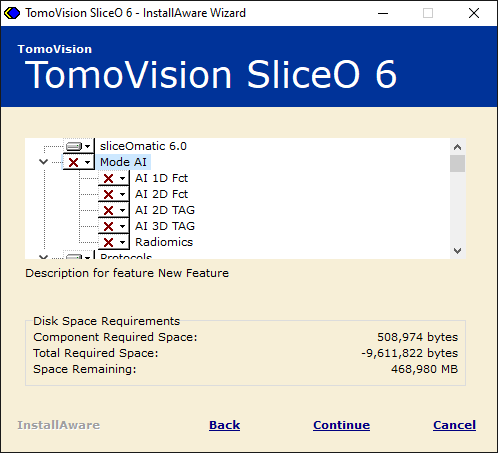
By default, the AI modules are not installed when you install sliceOmatic. |
|
|
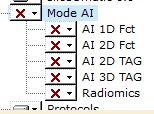
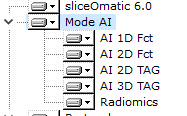
So, you need to run the sliceOmatic installation script. When you get to the page where you select the installed features, you will see that the AI modules have a red "x" in front of them, meaning that they are not selected. |
|
|
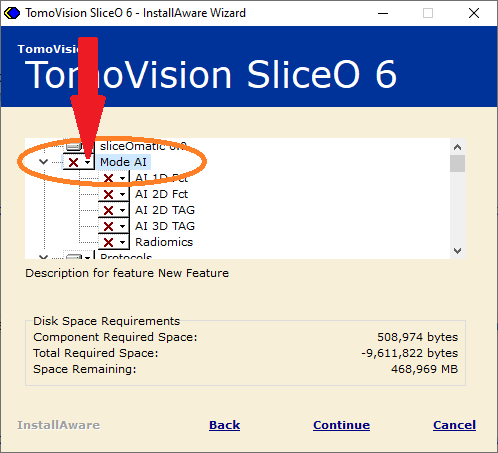
You need to select the "Mode AI" from the list and click on the small down arrow icon. |
|
|
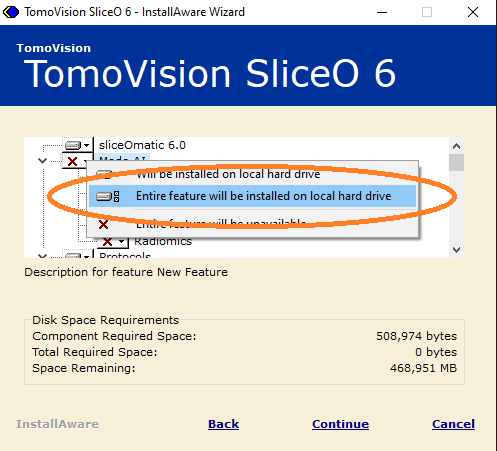
A list of options will pop-up. Select the "Entire feature will be installed on local hard drive". |
|
|
The AI modules are now selected. You can continue with the installation. |
|
AI modules failed to start
|
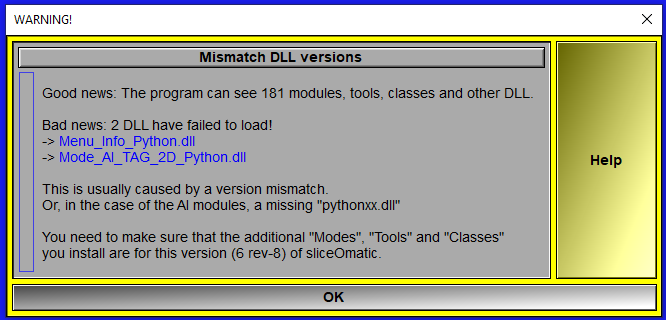
If you get the following pop-up when you start sliceOmatic: |
|
|
This mean that the program was unable to locate the "python39.dll" file. You need to install Pyton on your system (please see: Python installation) and make sure the program can access the "python39.dll" file. |
 Documentation