If you want to have a user's interface in your module (the Ctrl functions in the DLL), then you need to use the TomoVision's Tools. This library provide a number of graphic interface "tools" to create a user's interface.
Each of these tools is a class. They are all derived from the parent "Tools" class.
The basic tools provided are:
|
Boxs
|
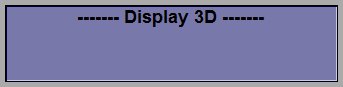 This class is used to create a rectangular box. These box can have a name at the top, a color, the interior fill can be uniform or with a 3D effect. You can also override the interior fill with an image of your choice. This class is used to create a rectangular box. These box can have a name at the top, a color, the interior fill can be uniform or with a 3D effect. You can also override the interior fill with an image of your choice.
|
|
Buttons
|
 This class is used to create push down buttons. These buttons have 2 states: off or on (depressed). The button can also have a "led" indicator on their left hand side. This class is used to create push down buttons. These buttons have 2 states: off or on (depressed). The button can also have a "led" indicator on their left hand side.
|
|
Labels
|
This class is used to place text in the interface
|
|
Sliders
|
 This class is used to create sliders. The slider is a slim version of the valuator without text and with single step buttons on each extremities. sliders can be horizontal or vertical. This class is used to create sliders. The slider is a slim version of the valuator without text and with single step buttons on each extremities. sliders can be horizontal or vertical.
|
|
Valuators
|
 This class is used to create valuators. Valuators can have a numerical value on their right hand side. They can be horizontal or vertical. Their values can increase or decrease toward the right, they can be linear or logarithmic. This class is used to create valuators. Valuators can have a numerical value on their right hand side. They can be horizontal or vertical. Their values can increase or decrease toward the right, they can be linear or logarithmic.
|
|
Lists
|
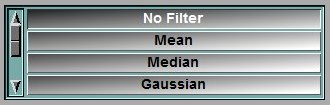 This class is used to create lists of buttons. The list can be vertical or horizontal. The buttons in the list are automatically sized. If there is not enough room to display all the buttons, the list becomes scrollable. This class is used to create lists of buttons. The list can be vertical or horizontal. The buttons in the list are automatically sized. If there is not enough room to display all the buttons, the list becomes scrollable.
|
|
CheckLists
|
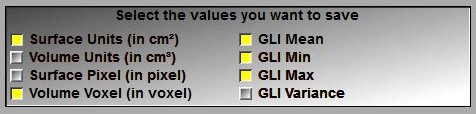 This class is used to create check lists. The list can allow multiple selection or single choice. This class is used to create check lists. The list can allow multiple selection or single choice.
|
|
Selects
|
 This class is used to create selectors. This class is used to create selectors.
|
|
Texts
|
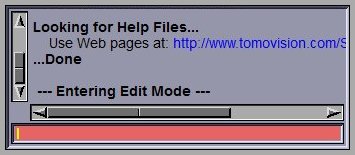 This class is used to create a text interface. The text can be scrollable. You can have an input line at the bottom of the text window. This class is used to create a text interface. The text can be scrollable. You can have an input line at the bottom of the text window.
|
|
Color_Edit
|
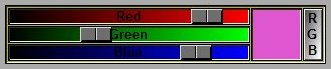 This class is used to create a tool to edit a color. The tool can be placed in RGB or HSV mode. This class is used to create a tool to edit a color. The tool can be placed in RGB or HSV mode.
|
|
Hue_Edit
|
 This class is used to edit the hue of a color. This class is used to edit the hue of a color.
|
|
Tabs
|
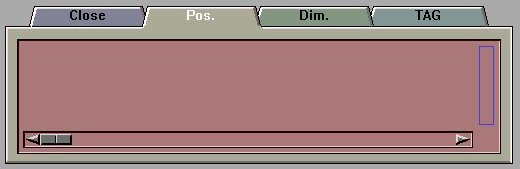 This class is used to created Tabs. This class is used to created Tabs.
|
In this library you also have 2 function for pop-up window messages.
int PopUp_Message( char *banner, char *title, char *msg, short dim_x, short dim_y )
int PopUp_Querry( char *banner, char *title, char *msg, short dim_x, short dim_y )